The calm-inbox formula
- Automate repeat questions first. Prices, hours, delivery, services, and written policies are the safest place to begin.
- Write a clear handoff rule. Complaints, exceptions, missing facts, and sensitive conversations go to a person.
- Review, do not hover. Scan conversations for five minutes a day and improve one weak answer each week.
What a Zen WhatsApp inbox actually looks like
A calm inbox is not an empty inbox. It is one where every message has a clear next step. Routine questions get a quick, accurate answer. Important conversations reach a person. Nothing depends on someone remembering to scroll back through yesterday's chats.
That is the idea behind a Zen WhatsApp workflow: automate the repeatable work, keep humans in control of judgment, and improve the boundary between the two every week.
You do not need a maze of chatbot menus to get there. A small knowledge base, a careful agent prompt, and one handoff rule are enough for a strong first version.
Step 1: Sort messages into answer, action, or human
Read your last 30 customer conversations and put each request into one of three buckets:
- Answer: opening hours, prices, delivery areas, services, stock rules, and other facts already written down.
- Action: check an order, request an appointment, collect lead details, or call someone back. These may need an API tool connected to your system.
- Human: complaints, refunds, exceptions, negotiations, sensitive details, or anything the business has not documented.
Start by automating only the first bucket. It creates immediate breathing room without asking the AI to make risky decisions.
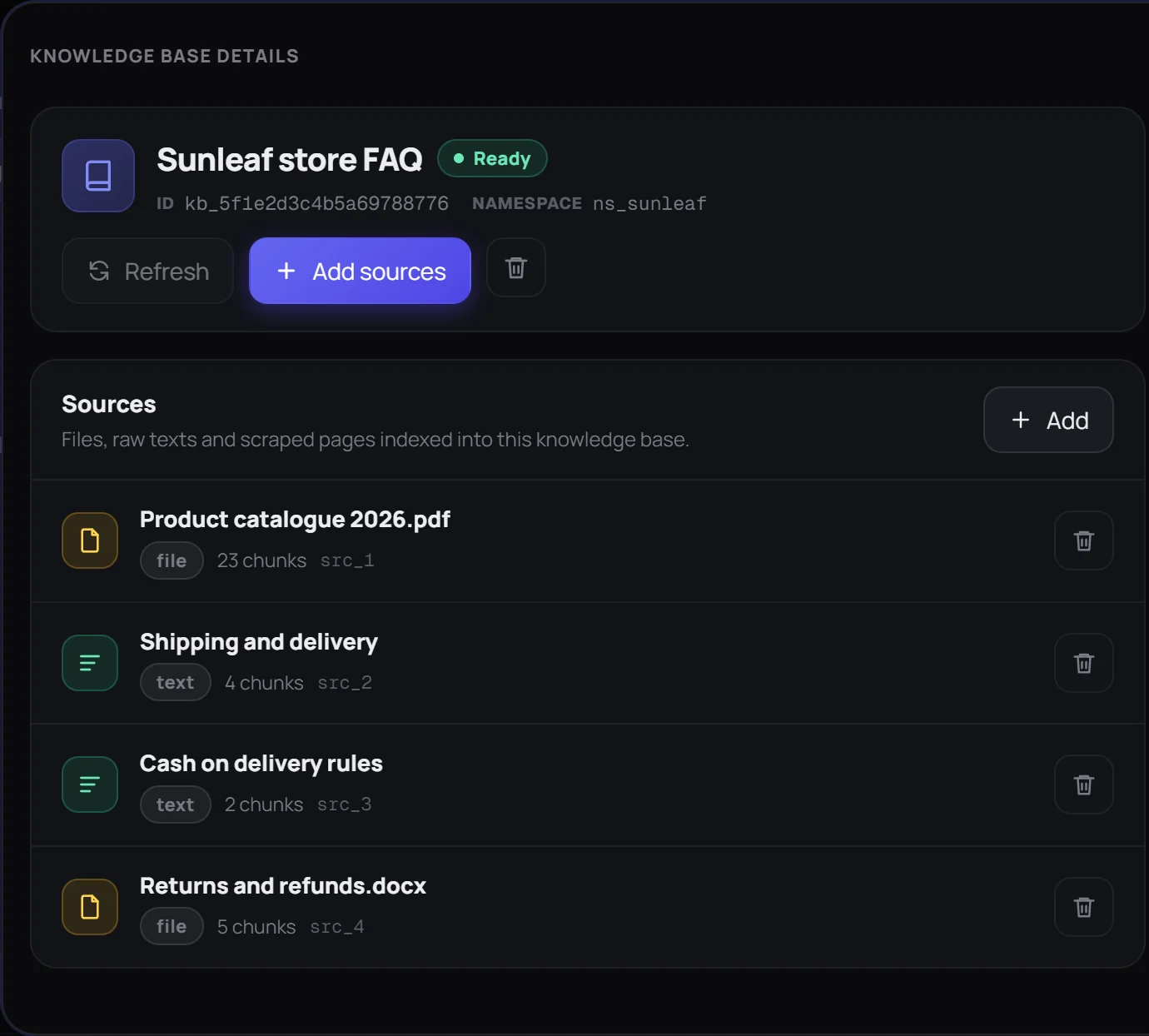
Step 2: Build a small, useful knowledge base
Create short sources around the questions people actually ask. A useful starting set is:
- Products or services and current prices
- Opening hours and locations
- Delivery, payment, cancellation, and return rules
- Five to ten frequently asked questions
Specific documents beat a giant company handbook. Name each source clearly and remove old versions, so the agent is less likely to retrieve conflicting facts.
Step 3: Give the agent boundaries, not just a personality
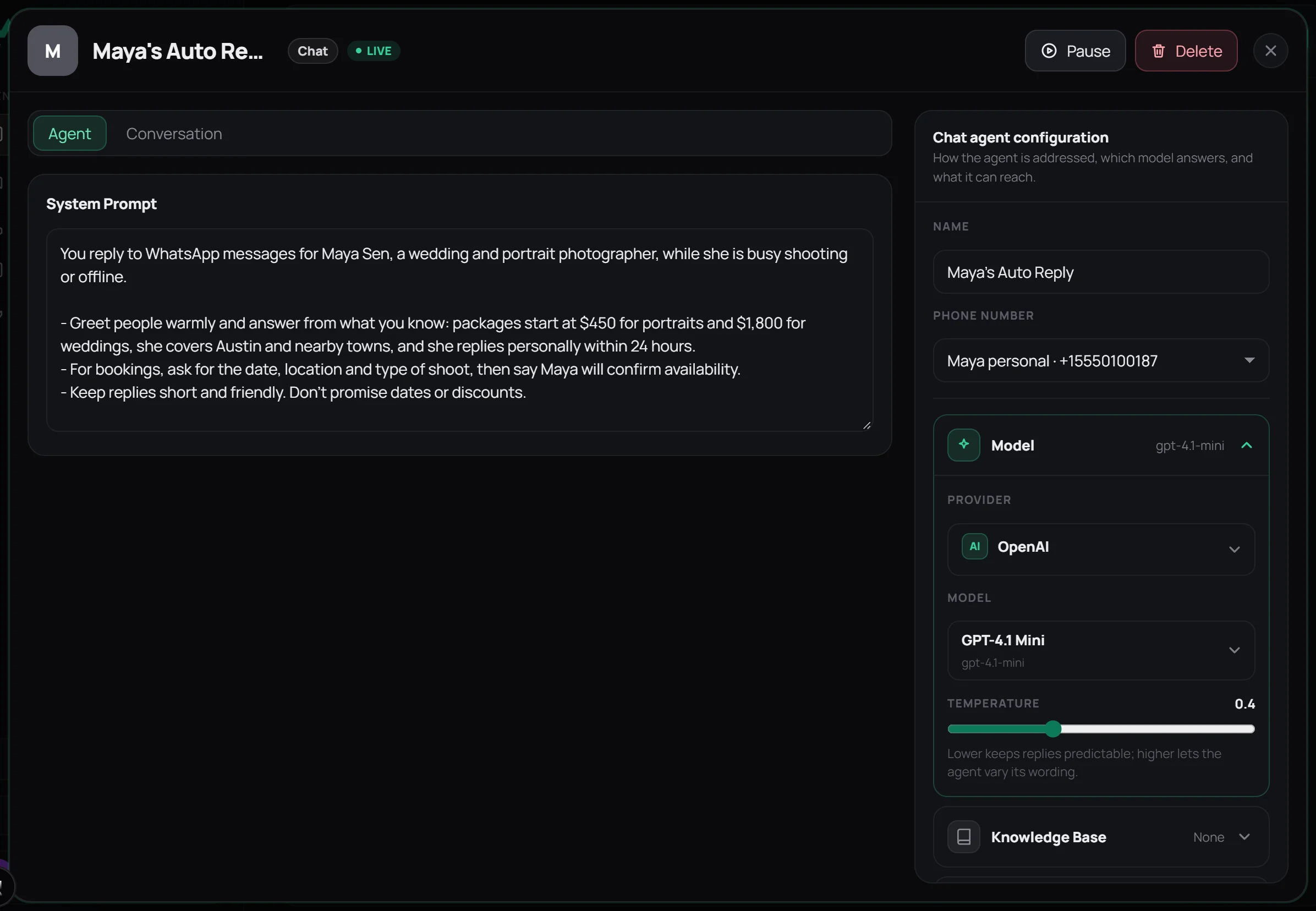
“Be friendly and helpful” is not enough. A reliable chat agent needs rules it can follow when the answer is unclear. Start with something like this:
You are the support assistant for [business]. Answer in the customer's language and keep replies under three sentences. Use the knowledge base for facts. Never invent a price, date, policy, or promise. If the answer is missing, say a teammate will reply soon. Escalate complaints, refunds, and exceptions to a person.
Add tone after the boundaries are clear. The calmest customer experience comes from accurate expectations, not a long list of brand adjectives.
Step 4: Connect WhatsApp and test the awkward questions
Connect your number by scanning the Wapzen QR code from WhatsApp's Linked devices screen. Assign the chat agent, activate it, and message the number from another phone.
Do not test only the easy FAQ. Ask a vague question, misspell a product, request a refund, ask for an unavailable date, and ask about something that is not in the knowledge base. A good test proves the agent can say “I don't know” and hand the conversation over cleanly.
The full setup is in the WhatsApp chatbot without the Business API guide.
Step 5: Use a five-minute daily routine
- Open the conversation list and scan new threads.
- Take over anything sensitive, frustrated, or commercially important.
- Mark one missing or weak answer to fix later.
This should take minutes, not become a second inbox job. The agent handles the queue; you look for exceptions.
Step 6: Improve one thing every week
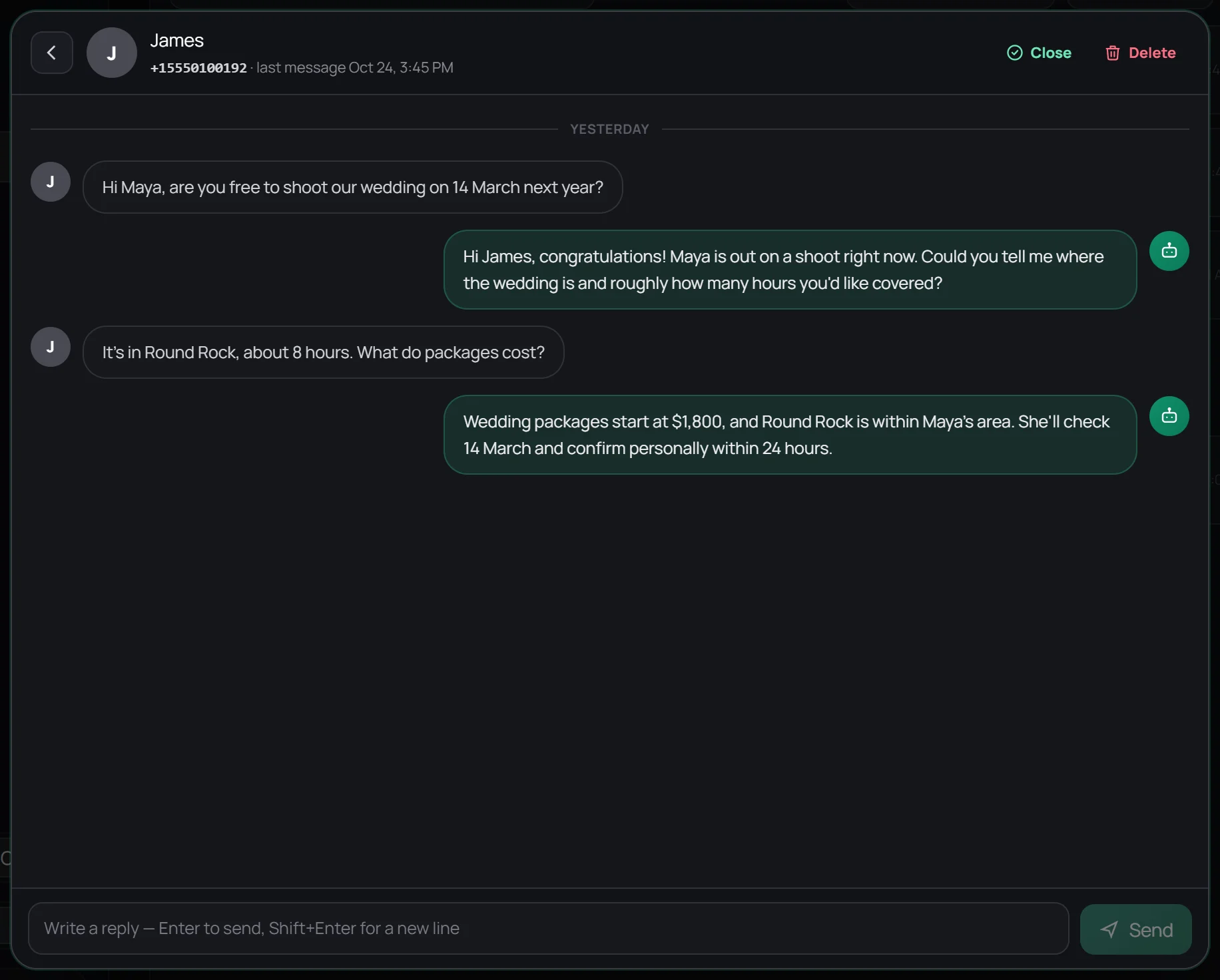
Once a week, spend 20 minutes on the conversations that did not go smoothly. Update one of three things:
- Knowledge: add a missing answer or remove an outdated one.
- Instructions: make a vague rule more specific.
- Handoff: move a risky category back to a person.
A calm system grows from small corrections. You do not need to redesign the whole chatbot whenever one answer is wrong.
What not to automate
Leave high-stakes judgment with a person. That includes angry customers, refunds outside the written policy, legal or medical advice, unusual discounts, sensitive personal information, and promises the business may not be able to keep.
Wapzen also is not a bulk broadcast tool. It links as a device rather than using Meta's official Business Platform. Use it to answer people who contact you and for expected follow-ups, never for unsolicited mass messages.
The goal is not to remove people from customer service. It is to protect their attention for the conversations where judgment and empathy matter.
Frequently asked questions
What is a Zen WhatsApp workflow?
It is a simple way to keep WhatsApp support under control: AI handles repeat questions, a person handles sensitive or unusual cases, and a short weekly review improves the system. It is a workflow idea, not an official WhatsApp feature.
Can AI reply to WhatsApp messages for me?
Yes. With Wapzen, an AI chat agent replies to incoming WhatsApp messages using your instructions and knowledge base. It can run on a personal or WhatsApp Business number connected by QR code.
How do I stop the AI from making up answers?
Give it a focused knowledge base, tell it never to invent missing facts, and set a clear handoff rule. Then review real conversations and add any missing answer to the knowledge base.
Should AI answer every customer message?
No. Let AI handle routine, low-risk questions. Send complaints, refunds, unusual exceptions, sensitive information, and anything outside the knowledge base to a person.
Can I take over a conversation from the AI?
Yes. Wapzen saves incoming conversations in the dashboard, where you can review the thread and reply yourself when a customer needs a person.
How long does it take to set up?
A useful first version can be ready in about 15 minutes if you already have a short FAQ, price list, and policies. Improving it is an ongoing weekly habit rather than a one-time project.