Quick answer
- The product is called Wapzen. “WhatsApp Zen” is a natural way people separate or remember the name.
- It handles chat and voice. AI can reply to incoming WhatsApp messages, answer calls, and call leads back.
- Setup uses a QR code. It works with personal WhatsApp or WhatsApp Business, without the Business API.
The short answer: WhatsApp Zen means Wapzen here
If you typed WhatsApp Zen into Google, the page you probably want is Wapzen. Wapzen is a free, no-code platform that puts an AI chatbot and an AI voice agent on the WhatsApp number your business already uses.
The names are easy to separate when you hear them: “WhatsApp” plus “Zen.” The actual brand is one word: Wapzen. WhatsApp Zen is not a second Wapzen product, and it is not the name of an official WhatsApp feature.
Wapzen is an independent product. It is not affiliated with, endorsed by, or made by WhatsApp or Meta.
What Wapzen does on WhatsApp
Wapzen gives one WhatsApp number two kinds of AI agent:
- A chat agent reads incoming messages and writes a relevant reply using your instructions, business documents, and connected tools.
- A voice agent answers incoming WhatsApp calls and can call leads on WhatsApp in a natural voice.
Both agents can use the same knowledge base, so a customer asking about a return in chat and another asking about it on a call can get an answer from the same policy. You can review chat history, call recordings, and transcripts from the dashboard.
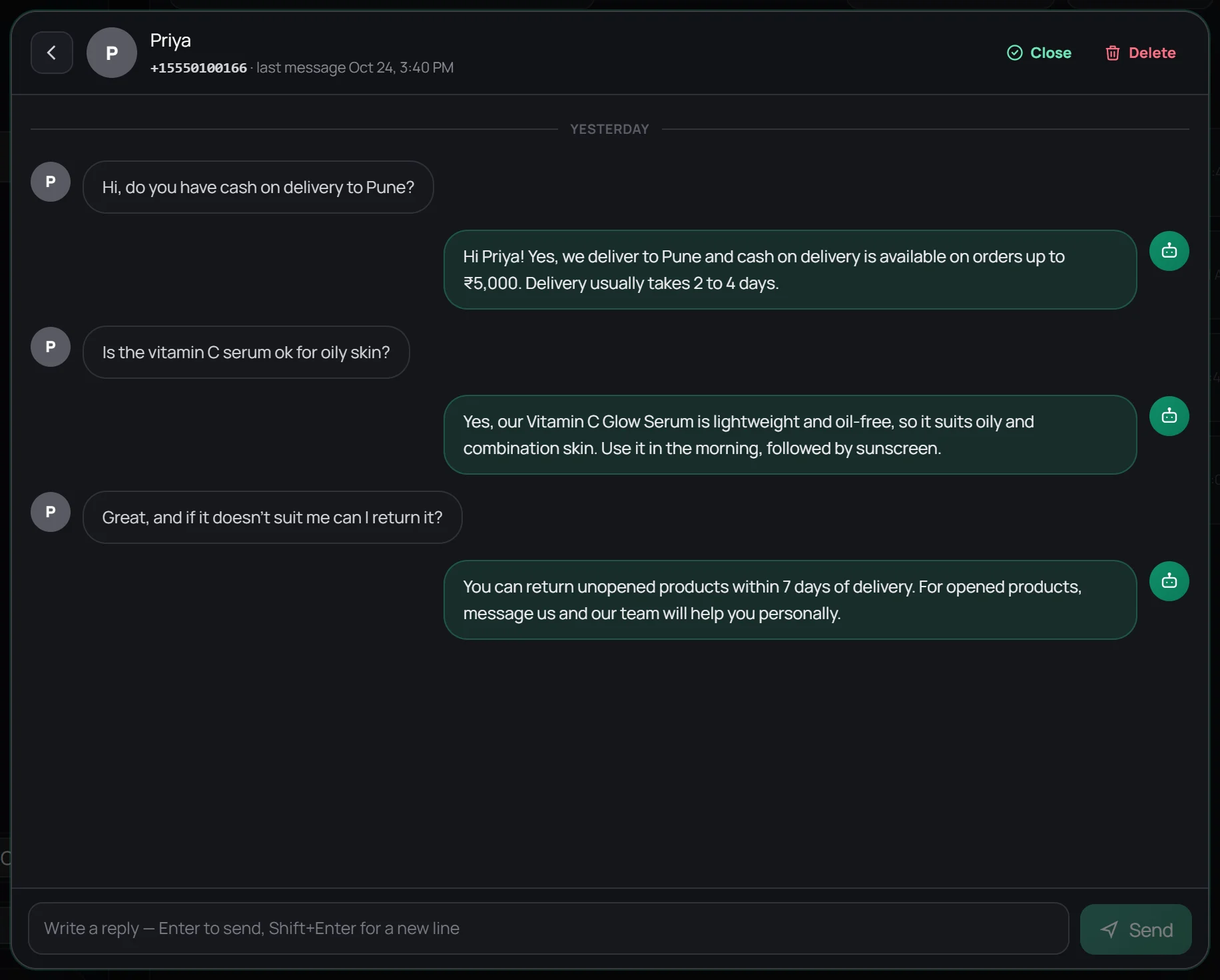
How it works in four steps
- Create an agent. Choose chat, voice, or both, then describe how the agent should speak and what it should do.
- Add your business knowledge. Paste your FAQs or upload PDF and Word files with your prices, services, delivery rules, or policies.
- Connect your number. Scan a QR code from WhatsApp's Linked devices screen, just as you would for WhatsApp Web.
- Test and go live. Send a few real questions from another number, correct any gaps, then activate the agent.
The step-by-step chatbot guide shows the complete setup with dashboard screenshots.
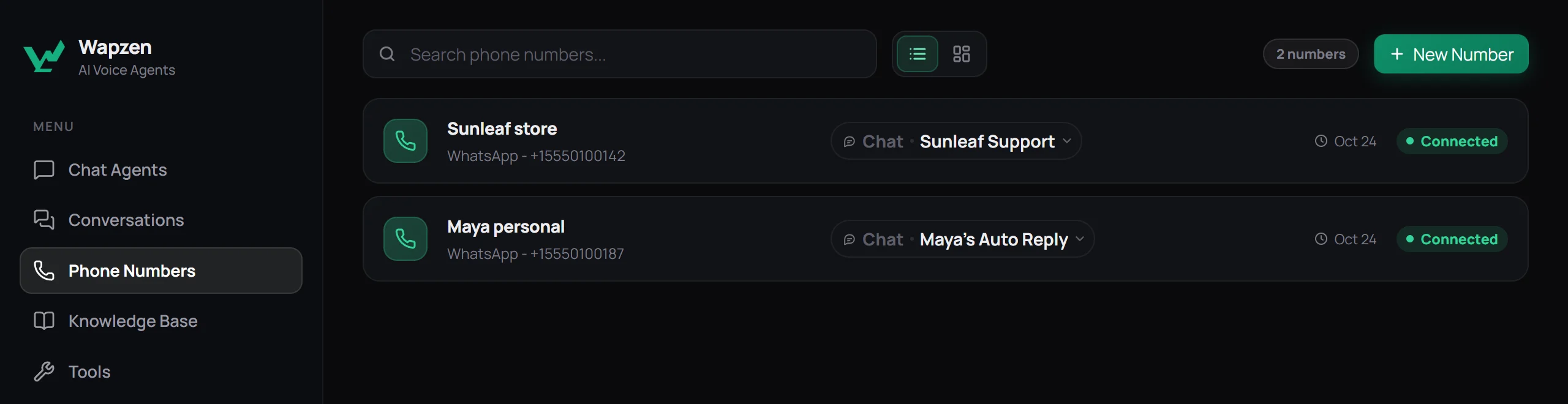
Personal WhatsApp or WhatsApp Business?
Either works. Wapzen can link a number from the regular WhatsApp app or the WhatsApp Business app. You keep the app on your phone, and the agent operates as a linked device beside it.
A personal number is useful if customers already contact you there and you do not want to switch apps. A WhatsApp Business number is usually the clearer choice for a company because its profile can show your business name, category, hours, and catalogue.
If all you need is a fixed greeting or away message, WhatsApp Business already includes those for free. Use an AI agent when the reply needs to understand and answer each customer's actual question. See the personal WhatsApp auto-reply guide for the trade-offs.
Do you need the WhatsApp Business API?
Not with Wapzen. Your number connects by QR code rather than through Meta's WhatsApp Business Platform. There is no Business API application, display-name review, template approval, or per-message API fee.
That convenience has a trade-off. A linked-device product is not Meta's official API route. Wapzen is designed to answer people who contact your business and to make expected follow-up calls, not to send bulk promotional messages. If you need high-volume broadcasts, a shared inbox with many human seats, or the official platform behind a business-critical number, use a Business API provider instead.
Who Wapzen fits best
Wapzen fits a small business whose customers already use WhatsApp and whose team keeps answering the same questions: prices, availability, opening hours, delivery, returns, appointments, or order status.
It is especially useful when missed calls and slow replies cost you leads. A clinic can answer questions after hours, a property agent can call a new enquiry back, and an online store can handle routine delivery questions while a person takes over the unusual cases.
If that sounds like the WhatsApp Zen you were searching for, start with the free WhatsApp chatbot or the free AI calling agent.
Frequently asked questions
What is WhatsApp Zen?
If you searched for WhatsApp Zen while looking for an AI chatbot or calling agent, you may mean Wapzen. Wapzen connects to an existing WhatsApp number and lets AI agents answer incoming messages and WhatsApp voice calls.
Is WhatsApp Zen the same as Wapzen?
WhatsApp Zen is not Wapzen's product name. Wapzen is the name of the platform. People may type the words separately after hearing the brand name or while trying to find it again.
Is Wapzen made by WhatsApp or Meta?
No. Wapzen is an independent product and is not affiliated with, endorsed by, or made by WhatsApp or Meta.
What can Wapzen do on WhatsApp?
It can auto-reply to incoming messages with an AI chat agent, answer inbound WhatsApp voice calls, make outbound WhatsApp calls, use your business documents as a knowledge base, and save conversations and call transcripts in a dashboard.
Do I need the WhatsApp Business API?
No. Wapzen links your personal WhatsApp or WhatsApp Business number by QR code, like a linked device. That makes setup quick, but it is not Meta's official Business Platform route and it is not intended for bulk broadcasts.
Is Wapzen free?
Yes. Wapzen is currently free, including chat agents, voice agents, knowledge bases, API tools, and WhatsApp calling campaigns. No credit card is required.